Icon as Fonts and Everything to Know About It
If you’ve ever worked as a web developer or designer, you’ve certainly used icons in your projects. Icons are a must-have tool in every dev or designer’s arsenal.
Icon fonts, although not new, aren’t commonly used today because of their seemingly steep setup.
This post gives you all the essentials, dives deep into how they work, and recommends some reliable icon font libraries so you can decide whether they deserve a place in your next project.
Let’s explore icon fonts and their nooks and crannies in this complete guide!
What Are Icon Fonts?
Icon fonts are icons that have been converted to fonts. Usually, font means traditional letters and numbers you can type, but the icon fonts contain glyphs and symbols instead of those letters in a font file format like TTF, or WOFF.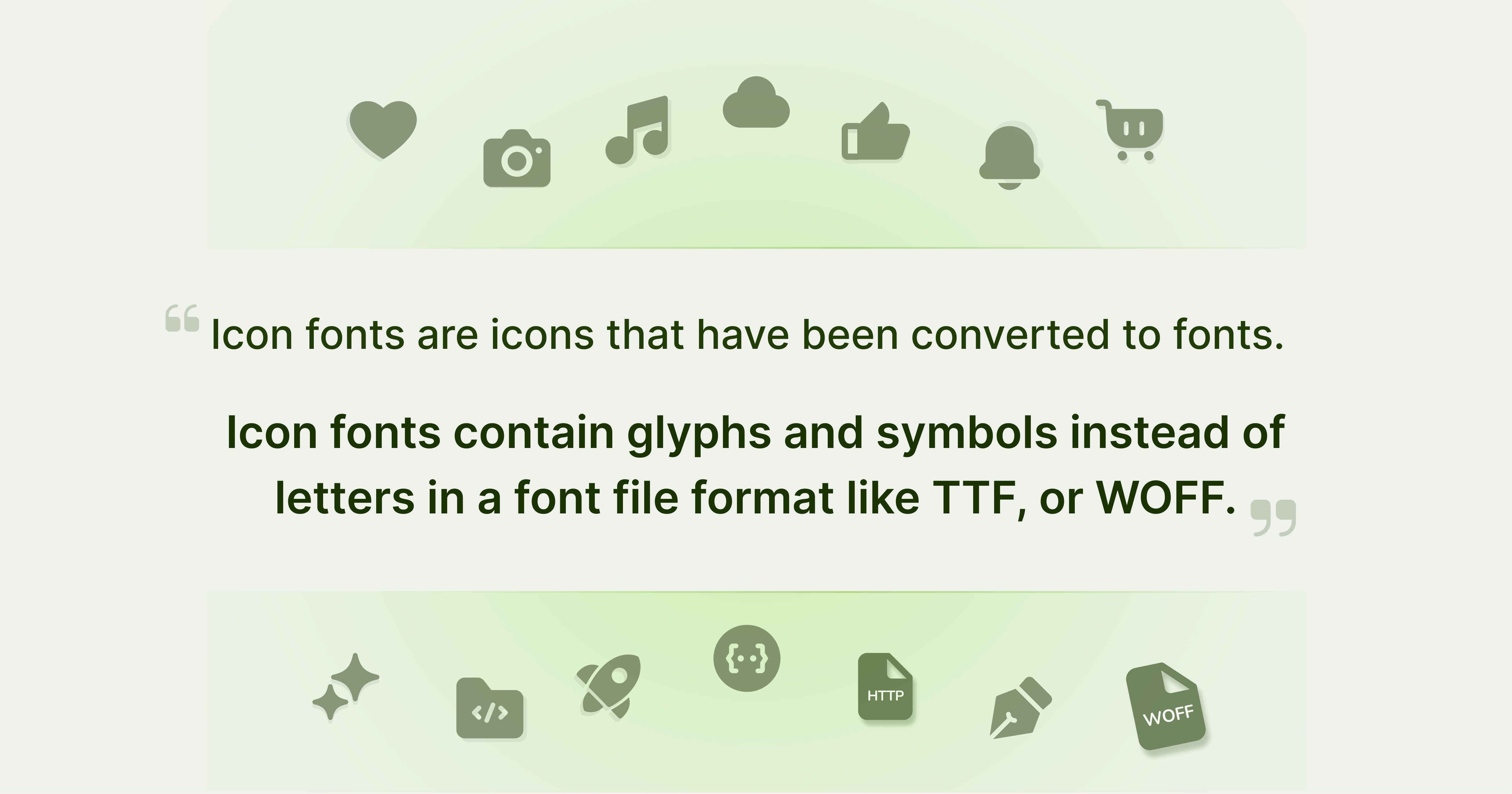 You can change the color, size, and opacity of icons in CSS. You can also add shadows, gradients, or strokes to the icons like you would with any other fonts.
On top of that, icon fonts are vectors that can be scaled to any size you want without losing any quality, even in High DPI screens like Apple’s retina displays.
Icon fonts come in one single font file no matter how many, that means, all the icons in your site make a single HTTP request instead of separate server calls for each icon – making the page containing icon font icons load faster than any other format. The speed boost is more apparent in pages where there are a number of icons that’s been used.
Icon Font History and why it was created
Icons are not a recent invention. Derived from the Greek word eikōn meaning Image, icons predate even the ancient Greek civilization, evidently first used in religious contexts.
In the context of modern GUIs (Graphical User Interfaces) icons were firstly introduced as imagery of real objects to indicate a functionality, like a piece of paper representing “Documents”.
Xerox, an American tech company came up with the first ever GUI in a hardware device with the Xerox Alto in 1973; and with this, the first set of graphical icons was born. The Alto, far from a consumer device, it was only in 1981 the first consumer device with the said icons were released to the public with the Xerox Star.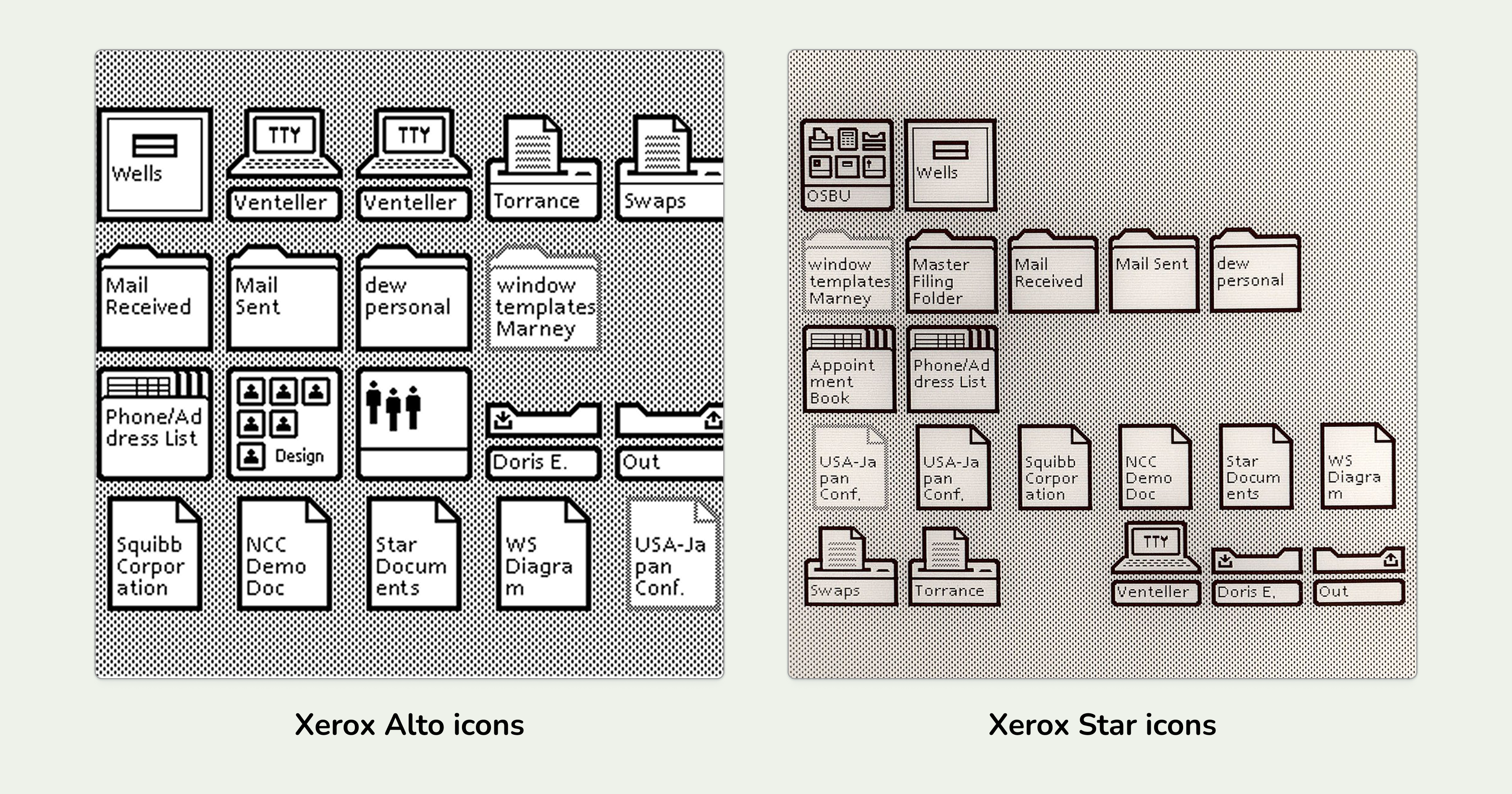 Still not mainstream, icons became a mainstream thing with the release of Apple Lisa and Macintosh, forerunners in the personal computer arena that had graphical interfaces, hence; icons.
The Amiga 1000 became the first to introduce color icons and the Macintoshes followed suit. The macOS X introduced realistic, Skeuomorphic icons in 2001, commencing a new era of UI icons.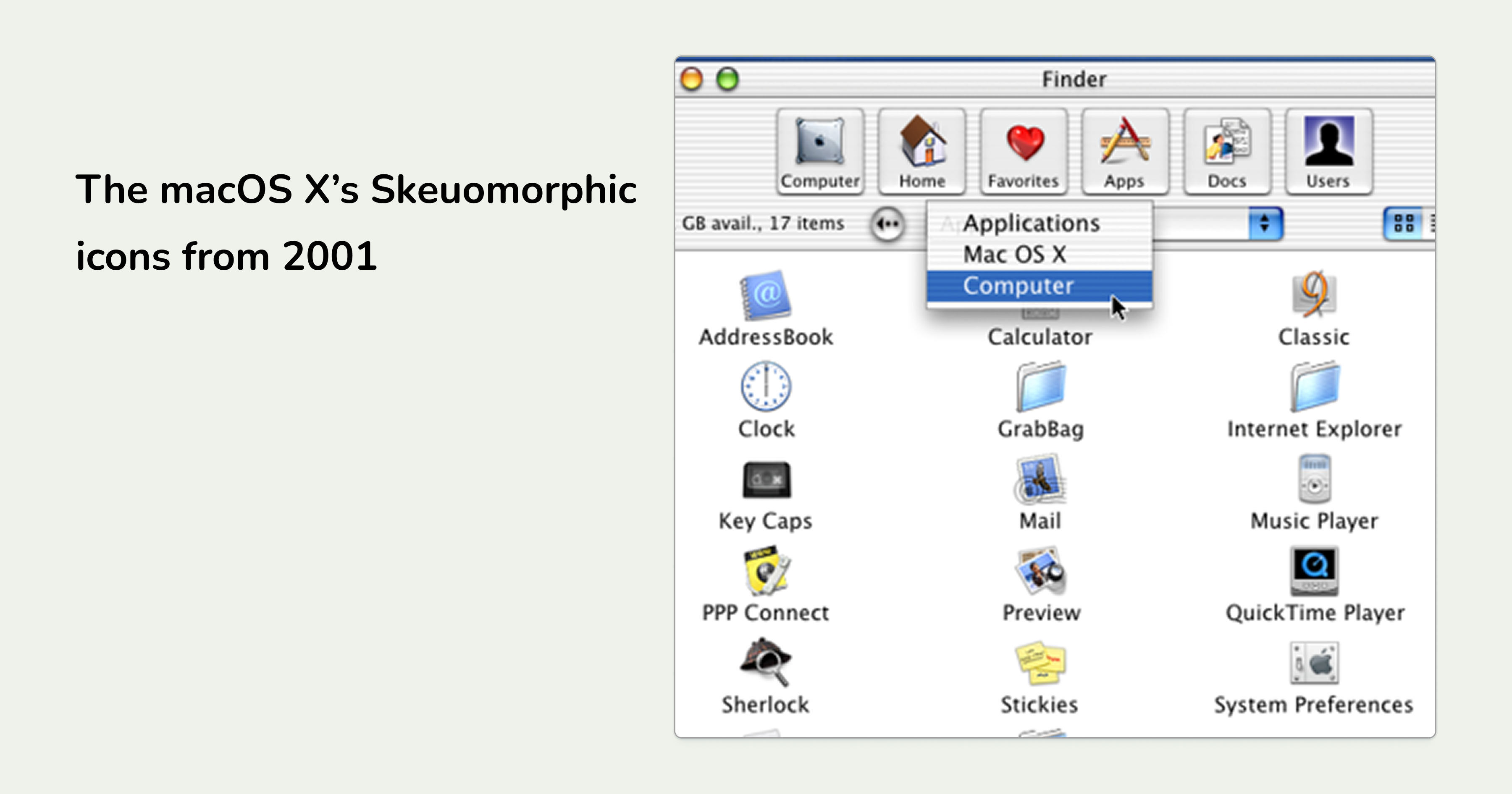 Windows XP, followed by Windows Vista came up with their version of photorealistic icons that are hailed as classics to this day.
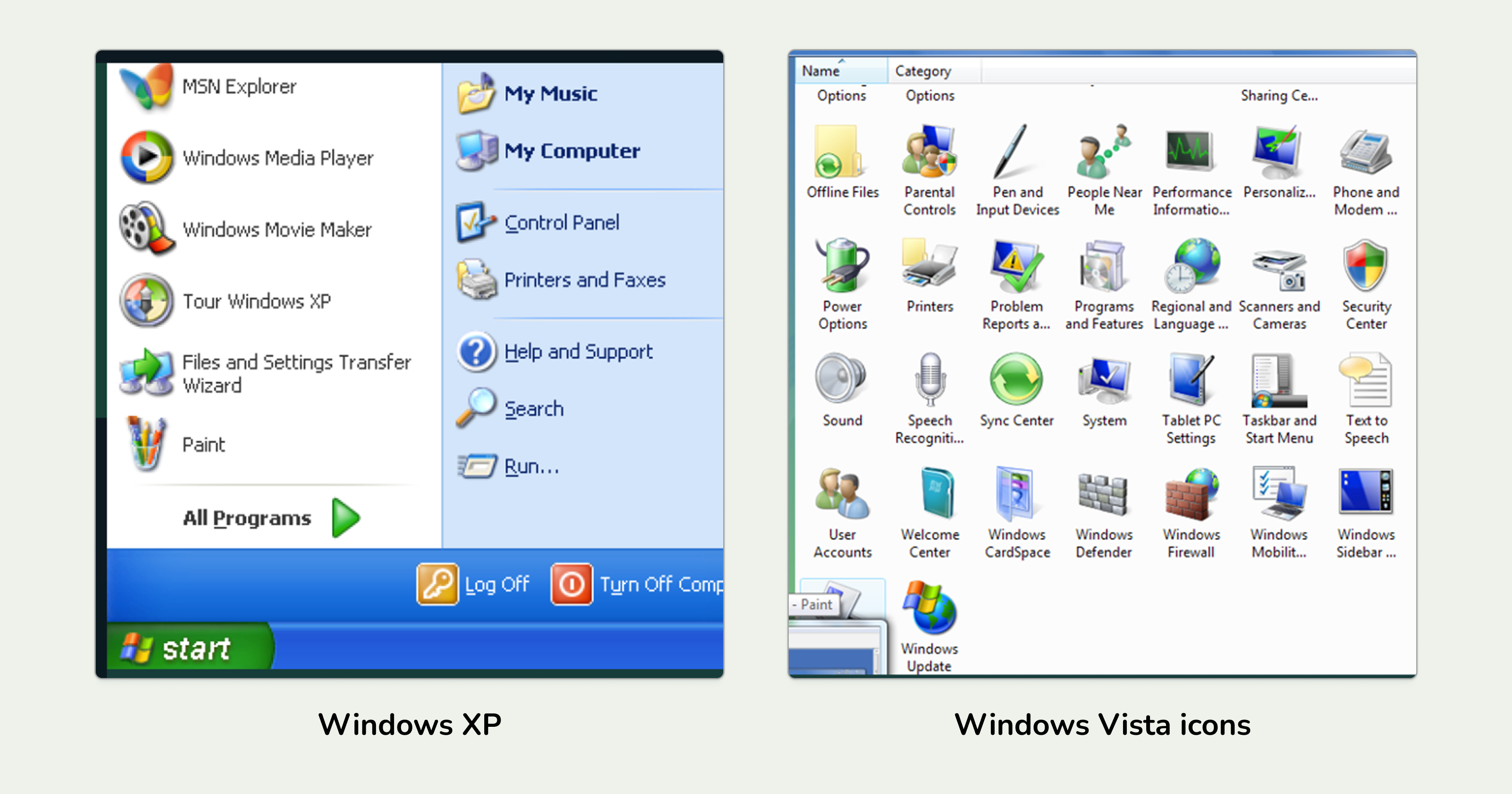 Up until this point, when developers needed icons, they had to use “image sprites” - a file that contained all the icons in separate, smaller sized images. The images bulked up the original image sprite and the icons would still appear blurry in high resolution “Retina” displays as those became mainstream.
Although using symbols as fonts wasn't a new concept per se; Dave Gandy resurrected the concept and from the 3rd March of 2012, Icon Font was already ready to be used by devs for easy CSS implementation of icons as UI elements.
Pros and Cons of Icon Fonts
Like every kind of icon, Icon Fonts have their own advantages and disadvantages. Before you make the final decision of whether to use Icon Fonts in your projects or not, let’s help you take an informed decision by stating the pros and cons:
Benefits of Icon Fonts
To state some major benefits of icon fonts:
Improved Performance
The first thing you’ll notice when using icon fonts is the performance improvement. See, icon fonts act as a single file, no matter how many icons there are in that font file.
This means the font file only sends only one HTTP request to the server, resulting in blazing fast performance. This is most noticeable in icon heavy web pages and mobile apps.
Infinite Scalability
Icon fonts are vectors, meaning, they use mathematical equations e.g points, lines, and curves to scale. This allows icon fonts to be resized at any size without losing their quality and crispness no matter what resolution they’re displayed in.
Customizability
As stated earlier, icon fonts are basically fonts acting as icons. This means you can customize icons just like you can customize fonts. So, you can add text-shadow and variable font animations, glitch effects etc. in icons.
Accessibility and SEO Benefits
One powerful feature of icon fonts is the ability of using texts like “>home<”, or “>user<” and browsers will automatically replace them with the icons it’s corresponding with.
This text, often meaningful and description of the icon it’s replaced with can help people with limited or no vision while also telling search engine crawlers what the object is, contributing to semantic SEO.
Overall Efficiency
Icon fonts nullifies the painstaking process of combining countless images in image sprites and manual positioning of icons in codebase; thus saving you hours of time and plethora of workload.
Drawbacks of Icon Fonts
Like all cool things, icon fonts have their own “thorns”. Let’s talk about them:
Limited Styling options
Icons fonts are basically fonts, so browsers will treat icon fonts as such. So, they’re mostly monochrome unless someone specifically provides duotone icon fonts.
You also can’t animate a specific part of the icon, rather you have to animate the entire icon if you need to. For example, you can’t animate the clock hands to show time elapsing, but can animate the entirety of the gear to show the settings are changing.
Accessibility issues
An advantage can sometimes be revealed as a disadvantage. In terms of accessibility, whether you’ve used a meaningful name for the icon or not determines if it’s an advantage or disadvantage.
If you use a random unicode like “U+2764” screen readers will pronounce the icon exactly as such, confusing the listeners who can’t actually see your icon.
Version-control is Non existent
If you want to add even a single icon to the set, the entire font file has to be newly created. So, every new icon has to be added in a new version nullifying the existence of version control.
How to Create Icon Font from SVG
In its early days, you had to rely on icon font providers to use icons as fonts. There was no way of getting custom icons as in icon font formats if you didn't have that deep technical knowledge.
The introduction of tools like Icon Font Generators changed the game forever. You don’t have to rely on the icon font providers anymore to generate the icon font you need; you just crank up the icon font generator and within a few moments, your desired icon font will be made!
Hugeicons Icon Font Generator
Select your favorite icons and generate a custom icon font
Let’s look at the two main ways you can easily get your icons fonts:
Method 1: Get it From a Native Icon Font Library
The easiest way to get icon fonts is through a UI icon library that natively offers icon fonts. That way, you won’t have to go through the painstaking process of generating your own icon fonts via an icon font generator.
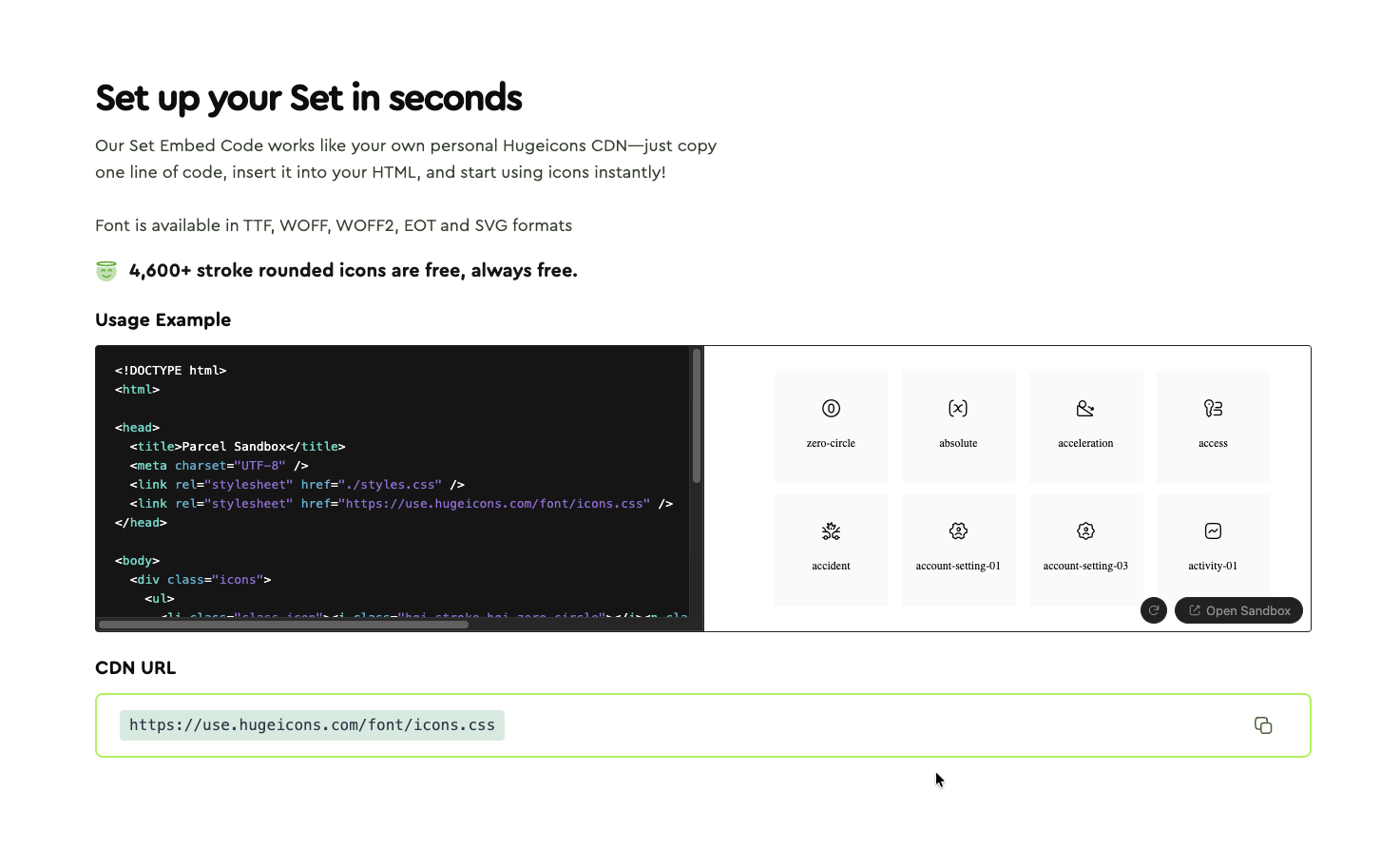
Icon libraries like Hugeicons offer free icon fonts you can easily incorporate in your projects. How easily? Let us show you —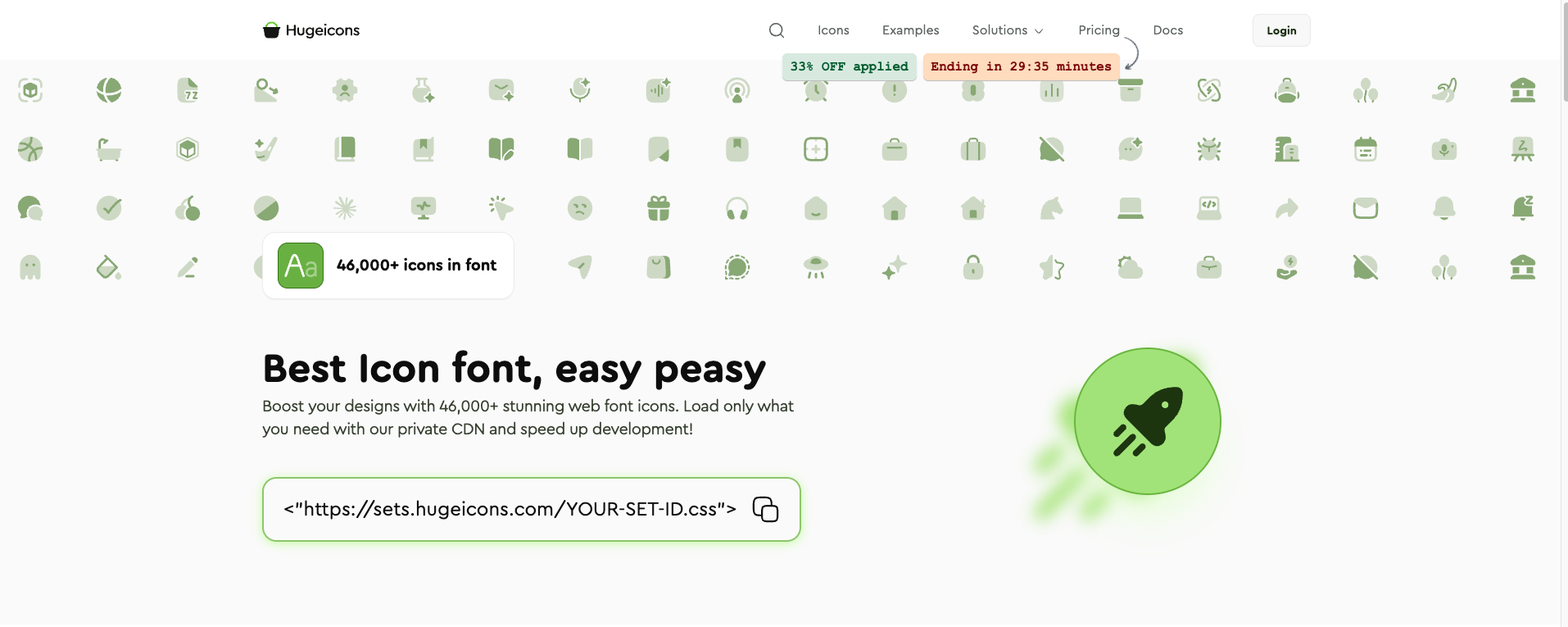 Just jump in to their icon font page, scroll down a bit and you’ll find their CDN link that gets you a CDN link (see lower right), click on the copy button (marked in red), add the CDN link in the HTML header like shown on the example, and over 4,600 icons would be ready to be used for absolutely free!
 Now when you need a specific icon, you can just go to their free icons page, click that icon and an icon preview will appear. You can customize the icons’ color, stroke, and size.
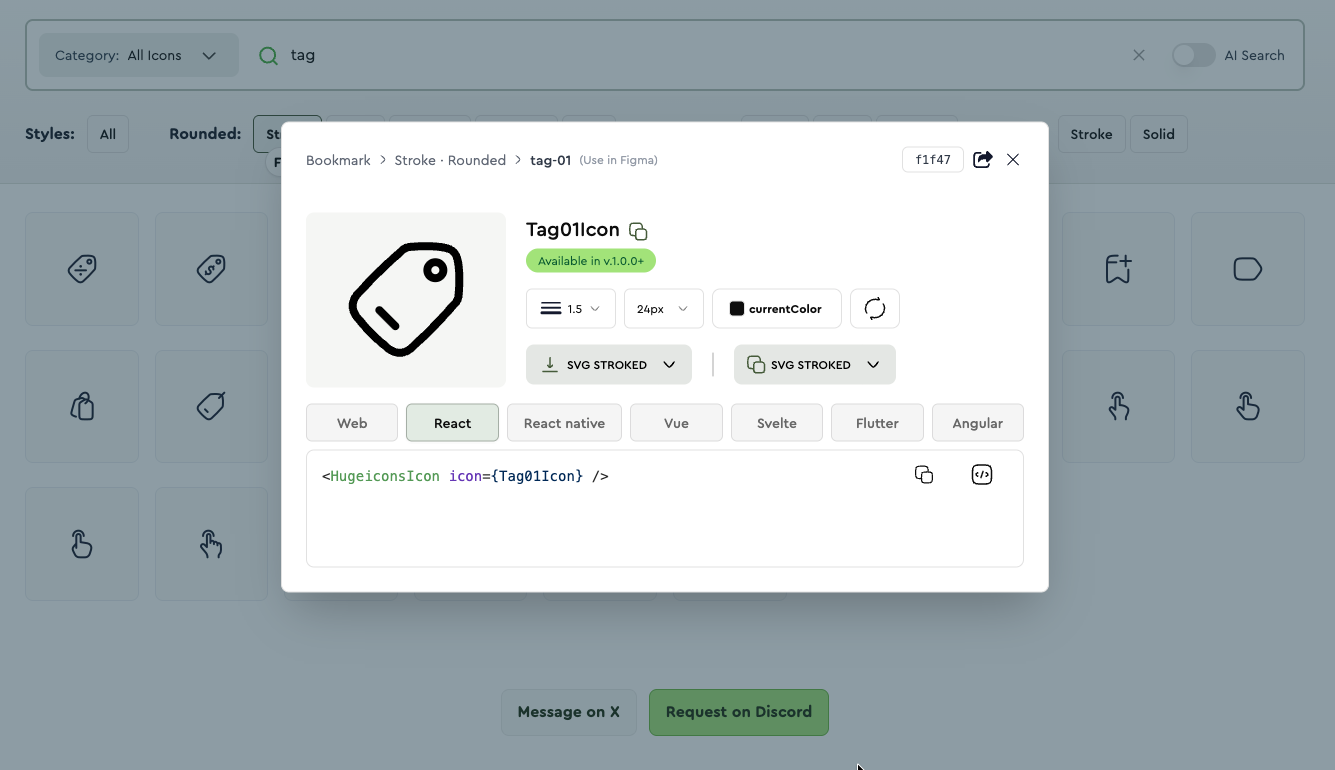 After finalizing the appearance of the icon, you can proceed to copy the corresponding code of the framework you’re using and the icon font would be ready to be used in your project!
Method 2: Generate Your Own Icon Font
The first method is a no-brainer when the icon lib has all the icons you need. But what if it doesn't include an icon you need? What if you use custom icons?
These are big questions that need elaborate answers, and we’re here for it.
The cool folks at Hugeicons made an Icon Font Generator that can turn SVGs into icon fonts within a matter of minutes. Let’s look at how:
First go to their icon font generator page, and switch to “Custom” tab right beside the “Library” tab.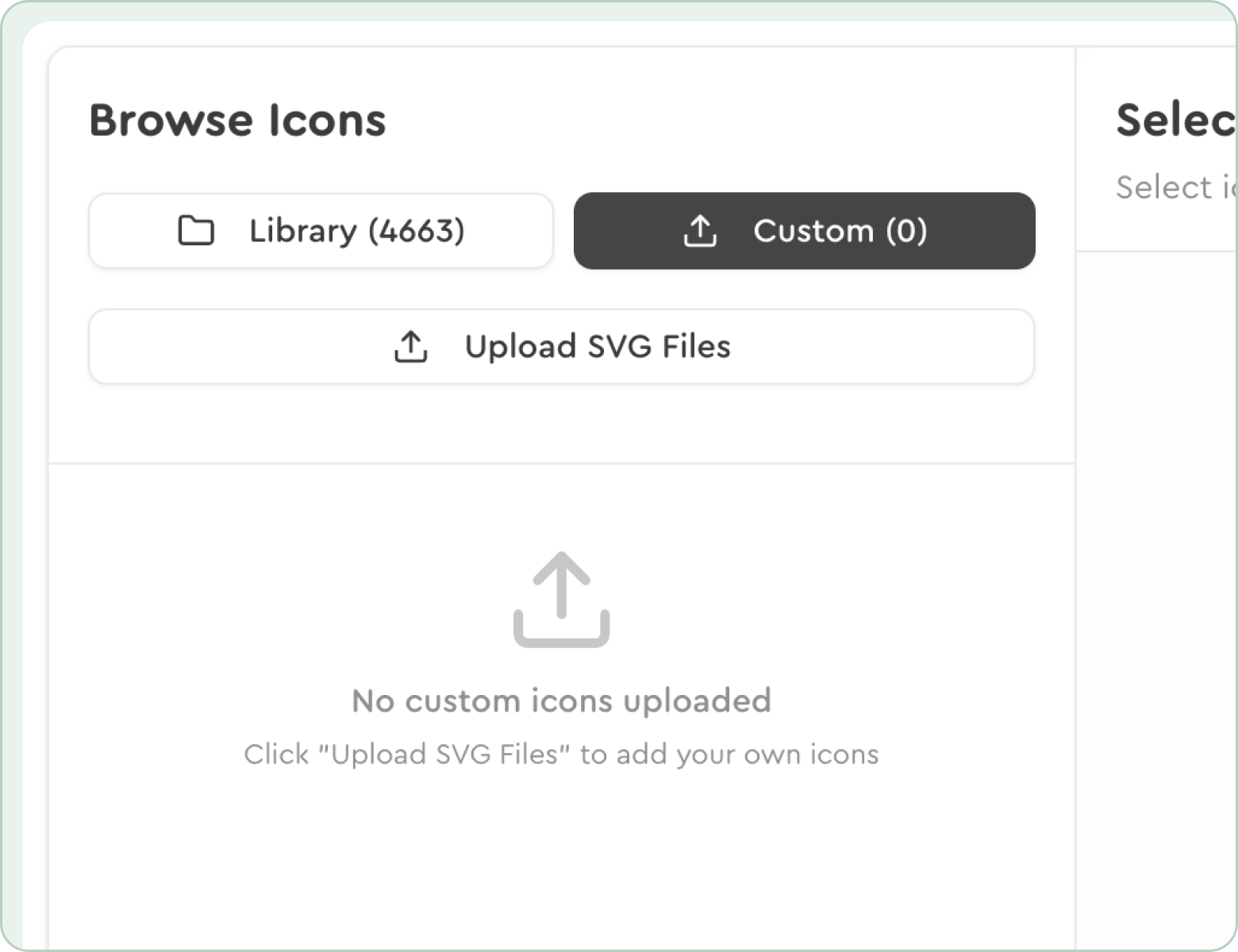 Then upload your own custom SVG file and select it. You can upload and select an unlimited amount of icons as of right now in the tool. When you’re done with the upload and selection, just click the “Generate Font” button located at the bottom right corner.
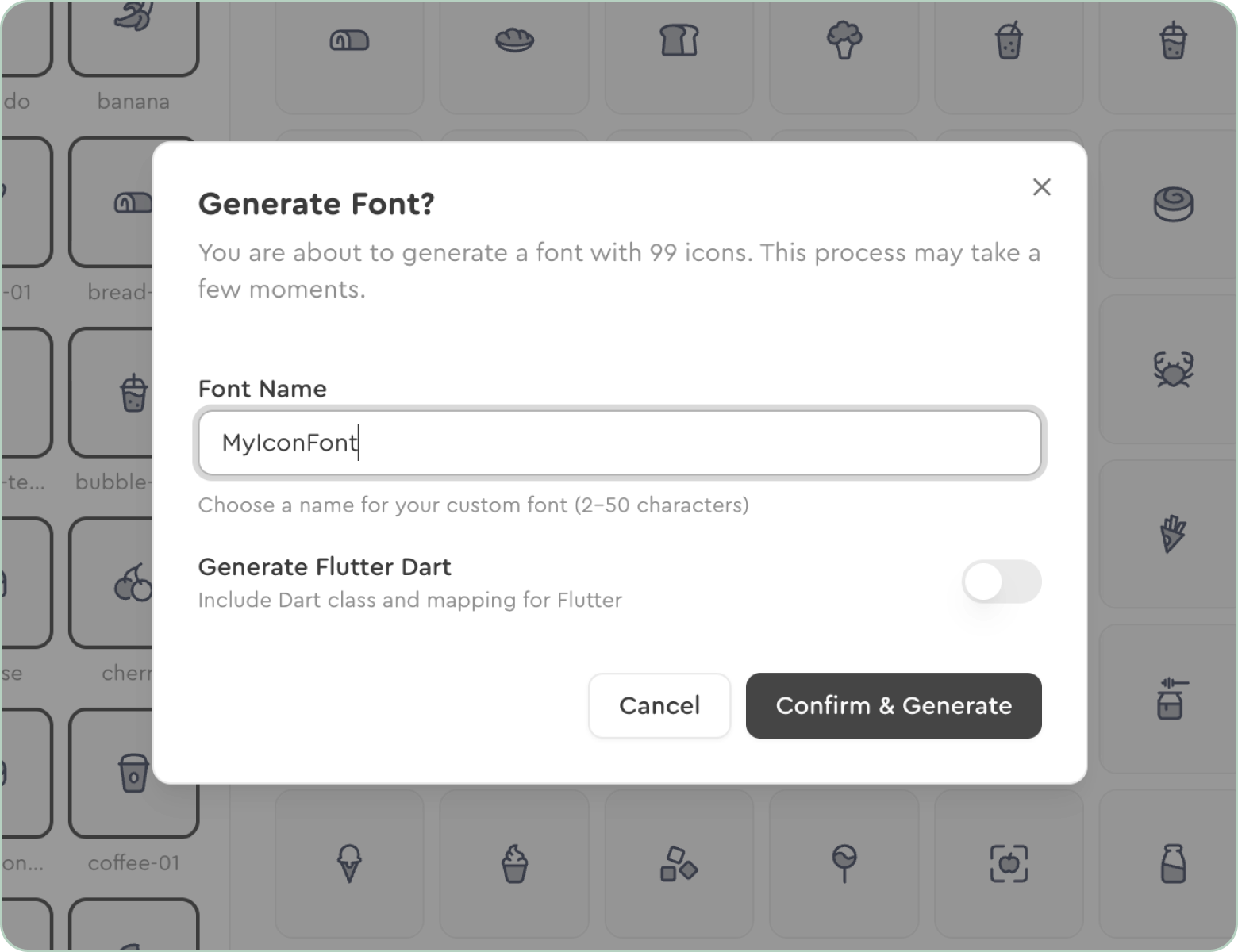
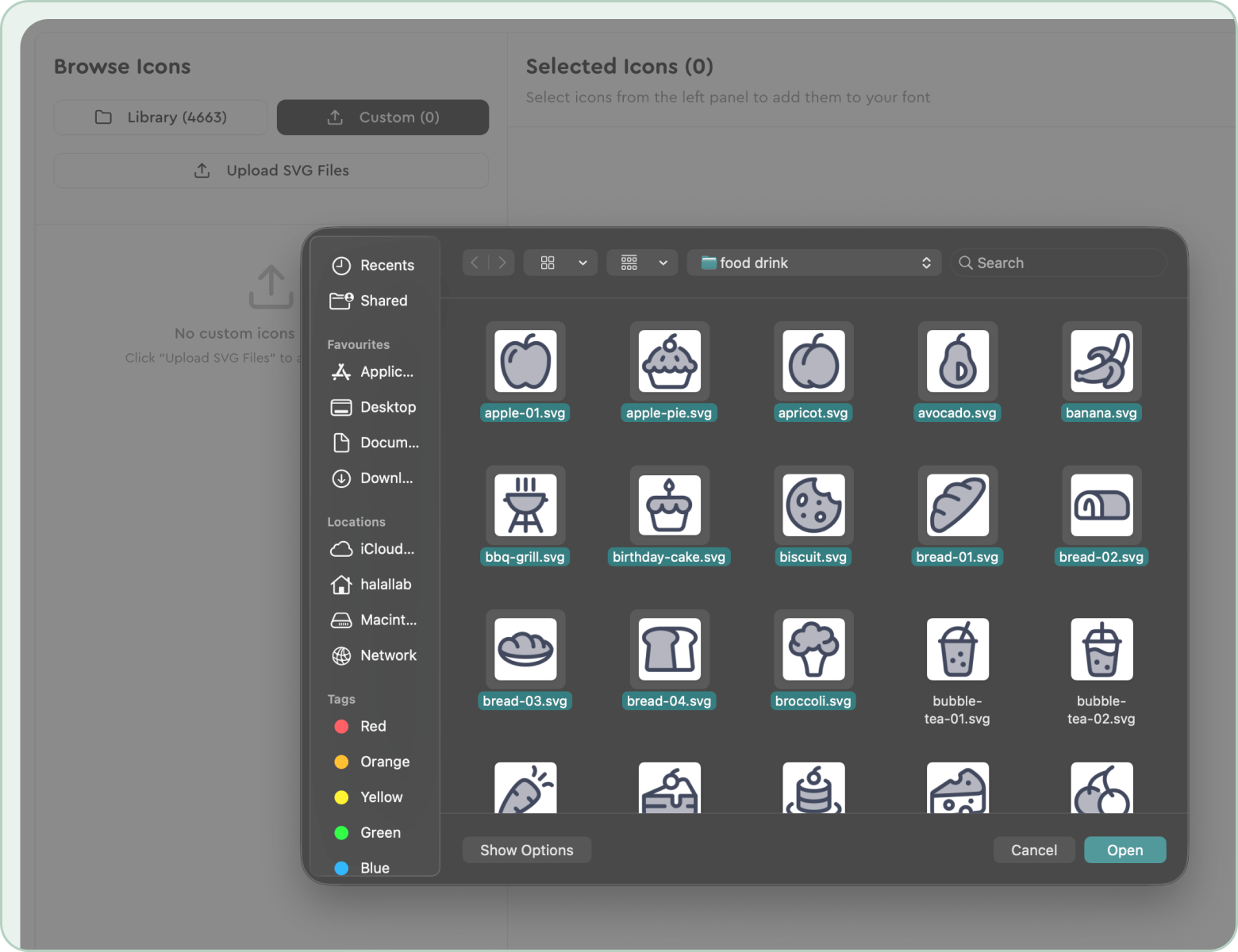 The following screen would let you name the icon font file, as well as give you options to enable Elementor compatibility, and generate Flutter Dart. The font file will be downloaded as a ZIP file upon clicking the “Confirm & Generate” font formats like .TTF, .WOFF, .WOFF etc.
 If you want to create an icon set of icons with only the icons you need from Hugeicons’ 46,000+ icons, you can very easily generate icon fonts from their existing icons too.
To do that, go to their icon font generator, there you’ll find a search bar where you can type keywords and find the icon you're looking for.
You can also select a specific style of icon from the dropdown right beside the search bar and choose from a staggering 10 styles of icons they’re offering.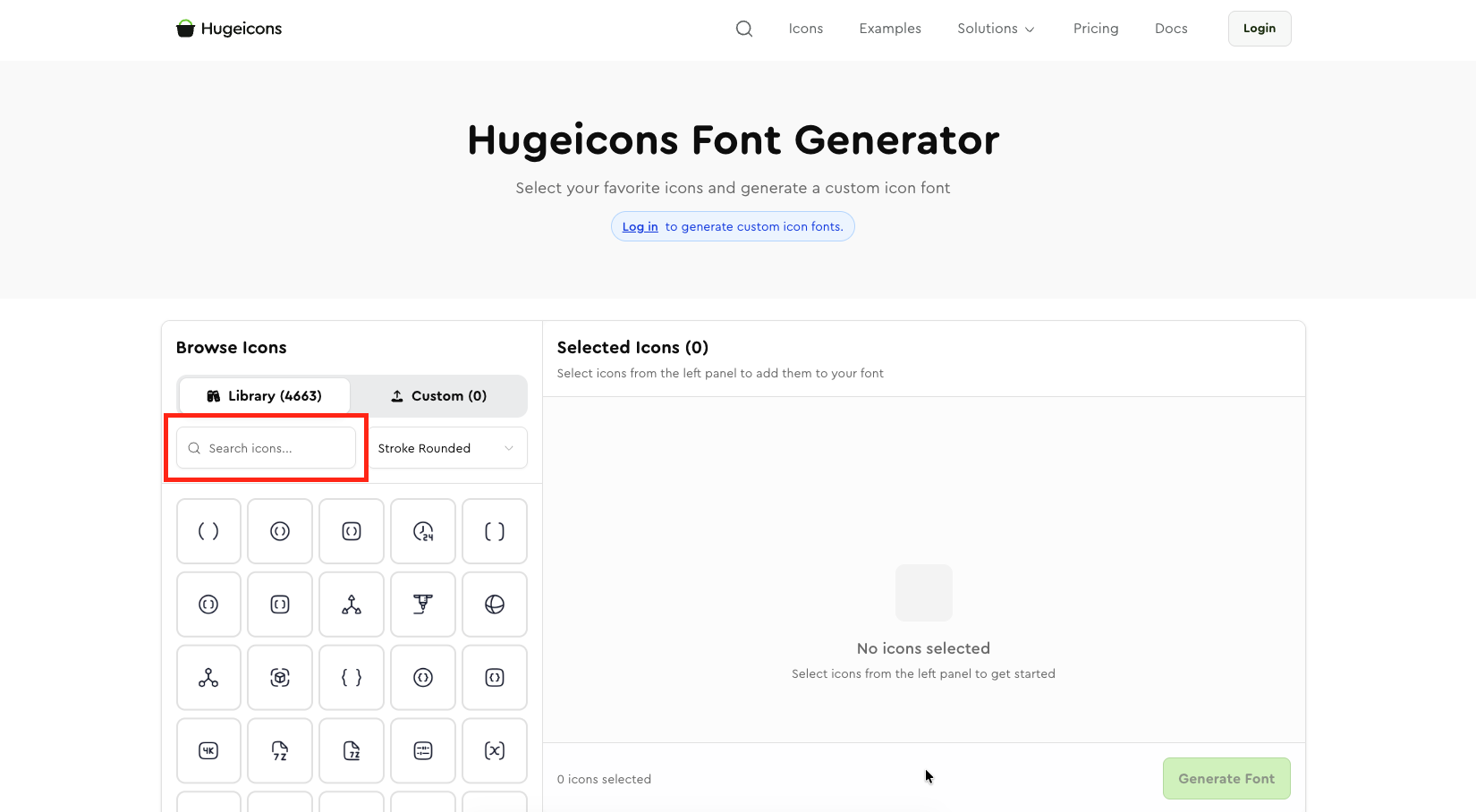 You can select as many icons you need and convert them to icon font. Just click on the “Generate Font” button after you’re done selecting icons, name the icon font file, enable Elementor or Flutter compatibility if you need it and the icon font file will be ready to download in a ZIP file in all font formats you might need the icons in.
How to Use Icon Fonts
You’ve taken your icon font file from an icon library, or painstakingly generated an icon font consisting of all the icons you need; now you want to use ‘em in your project. Let’s show you the easiest way to use icon fonts in your projects.
First, unzip the file if it arrives zipped. You'll find the icons in different formats inside the ZIP file.
From there select the font format you want to implement in your project and copy the font files and the CSS file of your choice.
For this example we’ll use .WOFF and .WOFF2 fonts from Hugeicons free icon font and the .CSS file for CSS manipulation.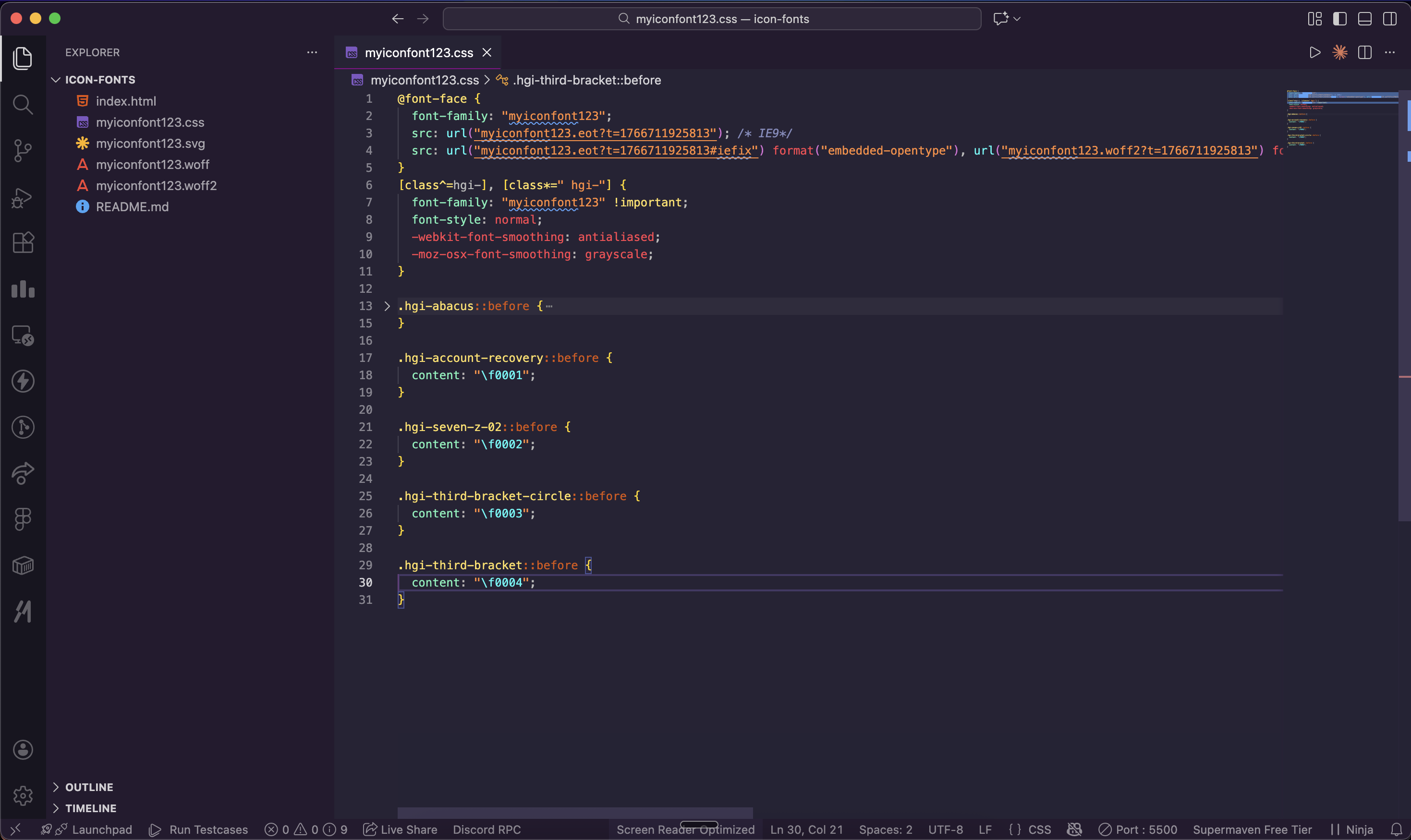 Paste all your font files and the CSS file to your directory linked with the main HTML.
Use the class name in < i > or <span> tag to render your icons. You can customize the icon (i.e. change color, size etc) using the class name.And this is how you can use icon fonts the easy way.
This blog goes even deeper giving you a technical peek into the very process of how icon fonts are used.
Icon Fonts vs. SVGs
Developers had enough of raster images that took up so much space, only to look pixelated in high-DPI displays. Vector images, as Icon fonts and SVG emerged as a solution to this very problem.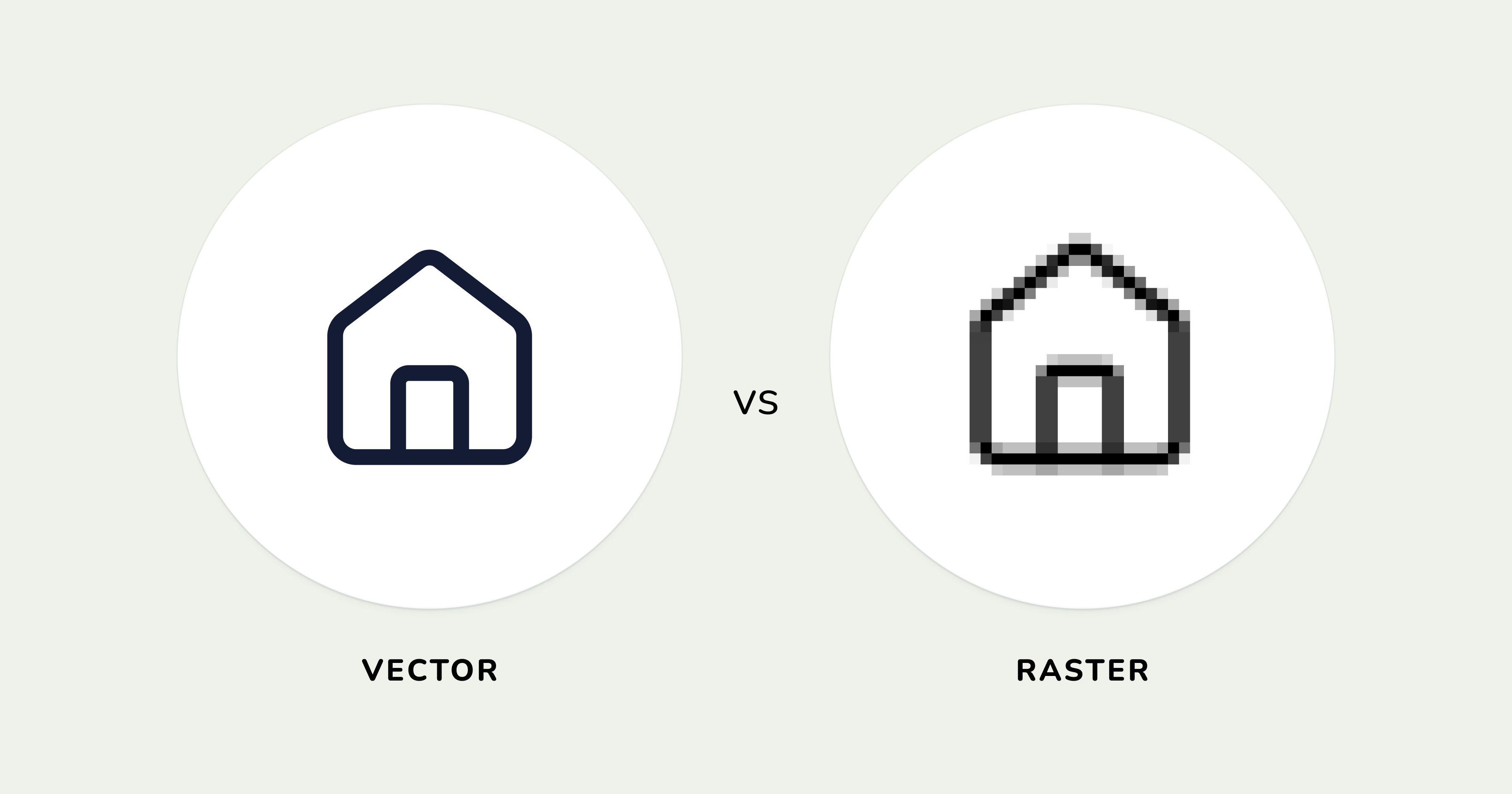 Both are vector-based which uses mathematical equations instead of pixels, both use CSS styling, and both are resolution independent, meaning they can scale up or down to an infinite extent. Although icon font happened to get broader browser support before SVGs, despite SVGs being older as a format.
Icon fonts incorporate themselves with @font-face, a simple CSS command that gets browsers to display icons and glyphs instead of literal fonts like letters and numbers. This enables fonts to obtain actual font properties like color, font-size, line-height, and text-shadow.
You can also animate them with CSS exactly like you’d animate texts. This simplicity and ease of use made icon fonts immediately popular with the devs during the rise of responsive design.
SVGs on the other hand, are XML docs that describe shapes, paths, and colors directly into your code that are rendered as vector graphics by your browsers’ graphic engine.
Inline SVGs are DOM elements that give you complete control through CSS and JavaScript. That means, you can style individual parts of a multi-part icon, apply complex gradients, filters, and animations if you work with SVGs.
One of the key differences between Icon Font and SVG is that Icon font is monochromatic while SVG can apply multiple colors in a single icon. Although you can do some easy hacks to give icon fonts multiple colors, or use a multicolor Icon font from a font library, SVGs can do that natively without the help of any hacks of any sort.
| Icon fonts | SVG |
|---|---|
| Icon font Work with CSS commands | SVGs are basically XML docs |
| Monochromic if not advance tactics applied | Native multicolor support |
| Adding new icon to a font file isn’t possible | New icons can easily be added |
| Useful in icon-heavy projects | Icons add weight in icon heavy projects |
Icon fonts present difficulties when you need to add a new icon. You have to use a whole new font file even if you need a single new icon on your set. With SVGs you can add or modify individual icons without touching others when using inline SVGs or imports, offering a smoother experience.
Icon fonts however are especially useful when handpicked for a specific project that uses an icon heavy web or mobile project that needs to be built without needing complex setup and limited styling, or needs to support legacy browsers while SVGs takes the cake in almost all other comparisons.
All in all, both the vector formats are still being used by expert devs and continue to be useful to this day. Until an alien tech emerges beyond human comprehensibility, far better than vectors, these two are our only hope.
This blog gets in-depth about this topic, give it a read.
Icon Fonts Accessibility Best Practices
Icons fonts are essentially glyphs that act as fonts. That means, even though they're fonts, they can’t be read. This proposes a hindrance for assistive technologies such as screen readers who read texts that appear on a screen loudly for people who cannot see screens properly, or entirely.
With at least 2.2 Billion people in the world suffering from visual impairments, accessibility support for this large number of population is not something to disregard, especially in terms of icon fonts.
Now that the sheer importance of accessibility when it comes to icons is established, let’s dig deeper on what steps to take in order to support icon font accessibility.
Well, there are two types of icon fonts that are used in UIs, Decorative icons, and Functional icons.
Let’s talk about those icon specific accessibilities:
Decorative Icons
Decorative icons are icons that you put in your website header and footer for decoration and branding. You probably don’t want screen readers to read out the icon font unicodes beside your website menu where you already have words describing the functions.
Decorative icons should always be hidden from the assistive tools like screen readers so they don’t speak nonsensical words like unicodes, or repeat the icon name if the functionality is already described beside the icon.
You can easily hide decorative icons from screen readers with aria-hidden=”true” (it’s a code snippet), here’s an example of this-
   <nav>
       <a href="/home">
           <i class="hgi-home-05" aria-hidden="true"></i>
           Home
       </a>
       <a href="/products">
           <i class="hgi-shopping-cart-01" aria-hidden="true"></i>
           Products
       </a>
       <a href="/about">
           <i class="hgi-information-circle" aria-hidden="true"></i>
           About
       </a>
   </nav>
Functional icons
Icons that directly replace a function, show status, controls, or help with navigation can be called functional icons. It is necessary to open up these icons for assistive technologies as they often don’t contain on-screen texts that describe their function.
If an important button like the Add to Cart button, a notification indicator that displays the number of unread text, a toggle, or an arrow indicating direction or submission, and that’s just an icon, it needs to be accessible to the visually impaired person.
The commonest way to deal with this would be to use an Aria Label to it like this –
   <button aria-label="Add to cart">
       <i class="hgi-shopping-cart-01"></i>
   </button>
Another way you can add context for screen readers would be to add texts specifically for them. See example –
   <style>
       .sr-only {
           position: absolute;
           width: 1px;
           height: 1px;
           padding: 0;
           margin: -1px;
           overflow: hidden;
           clip: rect(0, 0, 0, 0);
           white-space: nowrap;
           border-width: 0;
       }
   </style>
   <button>
       <i class="hgi-shopping-cart-01" aria-hidden="true"></i>
       <span class="sr-only">Add to cart</span>
   </button>
Those were some advice we could present before you for making icon fonts accessible. Please make them accessible if you choose to use icon font so you don’t miss out on a huge chunk of your potential customers.
Best Icon Font Libraries
For icon font creators, they’re very hard to create and maintain, that’s why you’ll see a very few icon libraries providing icon fonts. So, we already had a short list of contenders for the best icon font libraries.
Let’s take a look at the best icon font libraries, their features, and usability so you can make an informed decision while choosing which icon font library you should go with.
Hugeicons (The Best Overall Free Icon Font Library)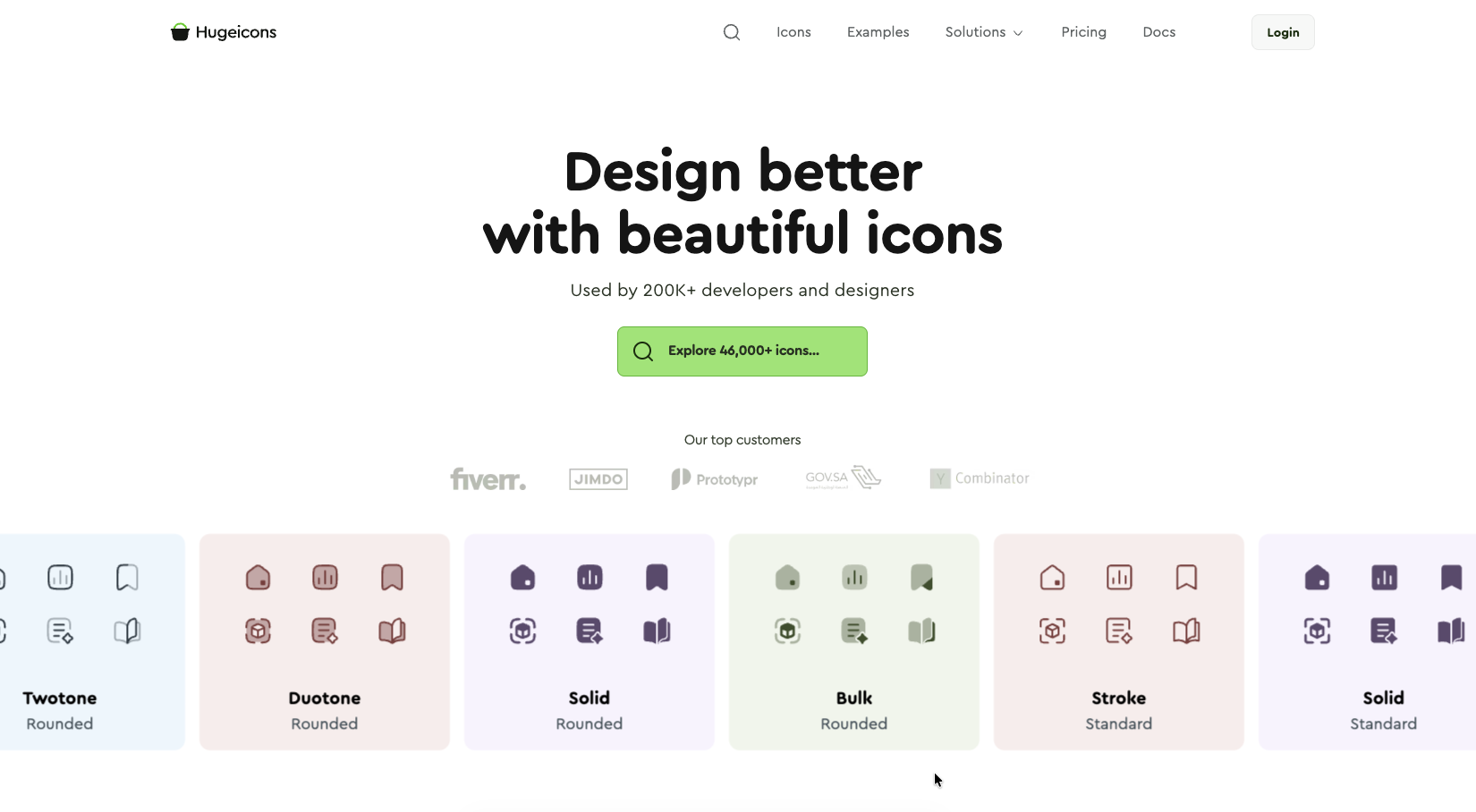
Hugeicons provides well over 4,600 beautiful icons in all the major font formats you’d need your icon fonts in. The number isn’t the only highlight for Hugeicons though; their icons are hailed by developers and designers mainly for their beauty.
They provide all the icon font files you’d need including EOT, TTF, WOFF, WOFF2; as well as multiple CSS files like .CSS and .SCSS.
These pre-programmed files make it easy for developers to use icons in their projects, no matter what framework, or coding language they use. This ease of use, paired with the most free, beautiful icon fonts made Hugeicons the preferred icon font library in our list.
If you feel good with their free icons, Hugeicons ups their ante with a total of 46,000+ icons in 10 distinct styles, available as icon fonts at a very reasonable price .
Trusted by 200K+ developers and designers
Used in products, prototypes, website, and apps worldwide.
Hugeicons Features
- 4,600+ free icon fonts
- 46,000+ Icons in total
- 10 distinct style of icons
- Custom icon font generator
- CDN support in both Pro and free plan
- EOT, TTF, WOFF, and WOFF2 file provided
- .CSS and .SCSS file provided with the icon font file
- Support for frameworks like React, React Native, Vue, Angular, Svelte, Flutter, Django, Swift, and Blade
- VS Code, Webflow, Framer, Figma, and WordPress plugin
- Tree shakable icons
- MCP server
To see Hugeicons in real UIs, you can take a peek here .
Google Fonts (The Giant)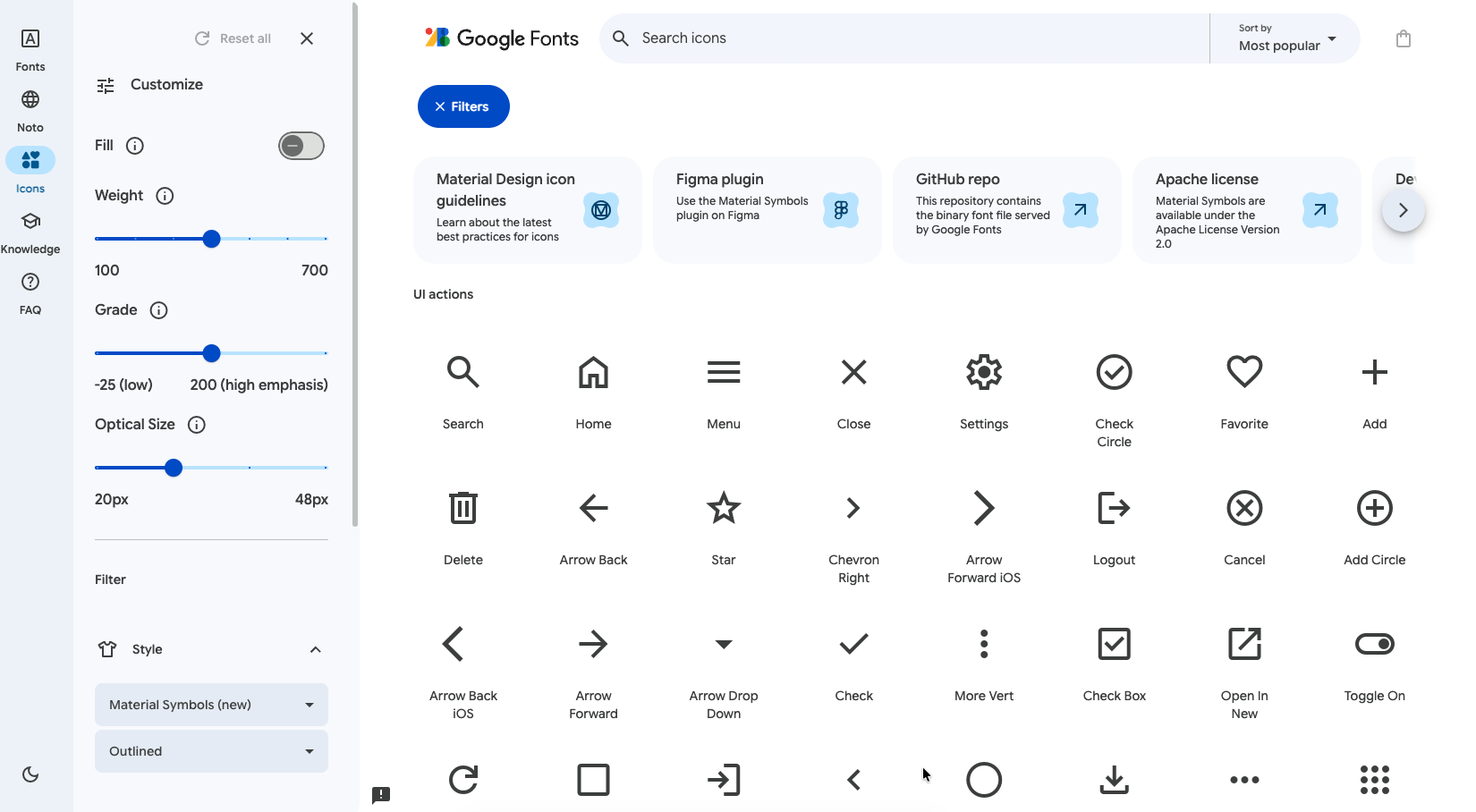
Google provides their Material Symbols & Icons as fonts. With 2500 free icons and symbols up their sleeves, they’re the second in this list in terms of the number of free icons provided. The Material icons are free for personal as well as commercial use.
Google has packed all the material icons in a single font file that uses typographic rendering abilities of modern browsers so developers can use the icons in their projects easily through Google Fonts CSS API.
Google Fonts supports a staggering 1900+ font families and you can check if it’s available for your favorite font here .
Google Fonts Features
- 2500 free Apache 2.0 licenced icons
- 3 styles of icons including outlined, rounded, and sharp
- Variable font support
- Live-CSS axes
- Ligature-based names
- Subset by icon name
- Animate-friendly axis with CSS or JS
- Google CDN, or self hostable WOFF2 files
- Cross-platform support with VectorDrawable, Apple Symbols, and SVG support
Font Awesome (The Pioneer)
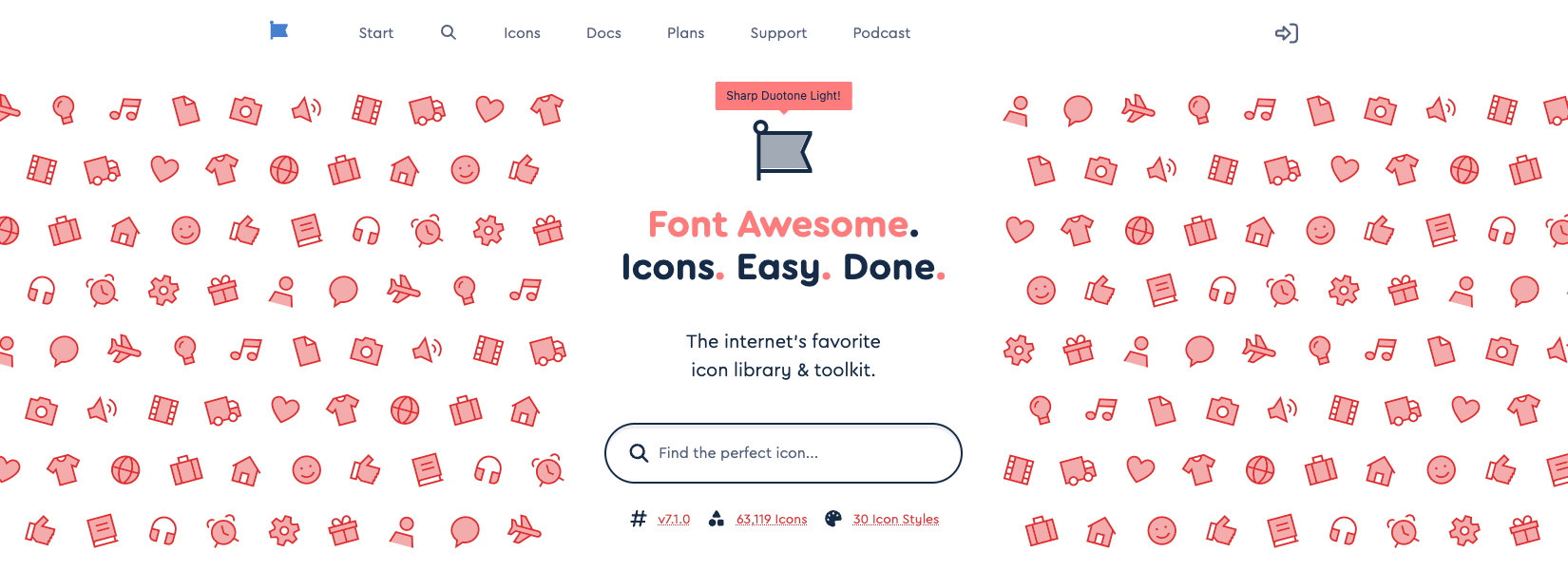
Dave Gandy essentially revived Icon fonts with Font Awesome in 2012. Icon fonts replaced raster images with their vector properties like being able to scale in high resolution displays like the Retinas.
Developers soon adapted icon fonts as their primary way of incorporating icons to their projects and they serve the dev community to this date.
Font Awesome Features
- 2089 free icons
- Multiple styles of icons including Duotone and Sharp on Pro
- Customization options, like color, sizing, animation etc.
- Built-in tool for accessibility
- Auto-subsetting
Those were some of the best icon font libraries available on the internet that provide full-fledged solutions for all your icon needs. Hope this helps you choose the best one when you actually need it.
Final Opinion on Icon as Fonts
Icon as fonts aren't a new concept, nor is it an ancient one. But it stayed in the arena long enough while still being useful. Image and SVG Sprites are long gone and only SVG and Icon font remain.
We’ve tried to paint the picture with as many details as possible, and now it is up to you to decide whether to embrace icon font or not; but certainly don’t sleep on it because your site might need a performance boost and icon fonts can be the very thing that has the ability to do so.
Related Posts
How to Use Blade Icons in Laravel Projects
Blade icons are a great choice when you want clean, scalable icons without the hassle of font files or extra dependencies. They work in all...


Best Django Icon Libraries in 2026
Imagine working on a Django project and suddenly needing the perfect icon to finish your UI. Searching through dozens of icon libraries...
Top VS Code Icon Extensions
Imagine coding in VS code and you suddenly need an icon for your project. The old school way would be to frantically look for the icons you need...

Best React Native Icon Libraries in 2026
React Native icons work fine when developing locally, only to break when you deploy; they just don't load or show up as empty spaces. Every React...
Best Svelte Icon Libraries You Can Get Your Hands On Today
Icons do more heavy lifting than most developers realize. They are tiny communication tools that help users understand your app at a glance, and...
Best Angular Icon Libraries in 2026
If you've ever worked on an Angular project, you must know that using icons in Angular can be a pain. Using icons from multiple libraries, dealing...